Printing at the Library
Howard-Tilton Memorial Library offers several printing options for students. On the first floor, you’ll find two black-and-white printers and one-color printer in the Learning Commons, as well as another black-and-white printer in the stacks area past PJ’s Coffee. Additional black-and-white printers are located in the study commons/stacks on the second floor, in the elevator lobby on the third floor, and on the sixth floor. To print, upload your documents to the campus print queue at pharos.tulane.edu.
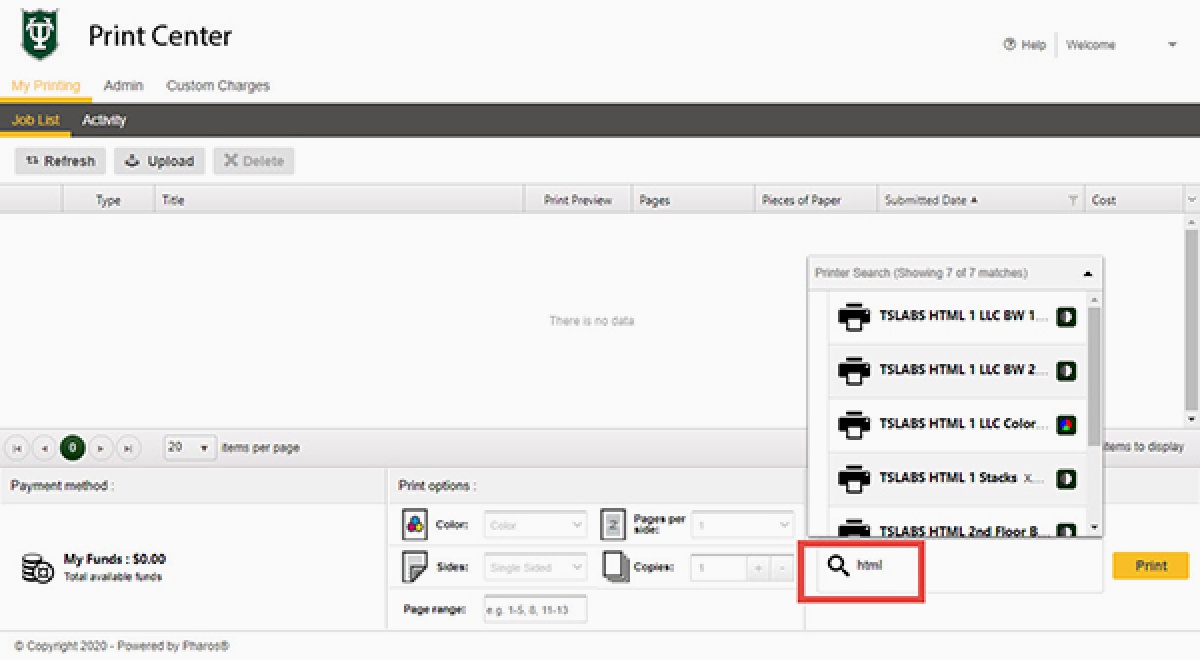
Print Instructions
To find the printers in the library on pharos.tulane.edu, search for html.
Cost of printing
Black & White prints cost 10 cents per page. Color prints cost 70 cents per page.
Who can print
Tulane Students, Faculty, and Staff can use the printing system with Splash cards, at the Lavin-Bernick Center, or at Richardson Memorial Hall. Tulane Students, Faculty, and Staff may also use Gibson Online to add value to Splash cards with a credit card.
Scan
Scanners are available in:
- Howard-Tilton Memorial Library:
- First Floor Stacks: There are three flatbed scanners (with document feeders) near the technology help desk
- Sixth Floor: There is a large-format overhead scanner by the Media Services Desk
- Jones Hall
- There is a large-format overhead scanner in the Victor H. and Margaret G. Schiro Reading Room in Jones Hall, Room 202. Email specialcollections@tulane.edu to set up an appointment.
- There is a large-format overhead scanner in the Victor H. and Margaret G. Schiro Reading Room in Jones Hall, Room 202. Email specialcollections@tulane.edu to set up an appointment.
For the overhead scanners, scans may either be saved to a USB drive or emailed directly from the computer attached to the scanner. Researchers can bring their USB drive.
Phone apps such as Box and Microsoft Office Lens, and Adobe Scan turn your phone into a scanner.
No fax machines are available for public use in the library. However, you may use a free online site Faxzero.com to fax word documents or PDFs. If you have a printed document, use a scanner or phone app to scan your document and then create a PDF. See the Technology Services desk for assistance with scanners.
More options for free online fax services.
Copy
Self-service black-and-white copy machines are located on the 1st and 5th floors of the Howard-Tilton Memorial Library. Copies cost 10 cents per page. The copy machines accept only Splash cards or printing/copying cards purchased from the card dispenser in the 1st floor lobby near the elevators. Copiers do not accept cash or coins.