Tulane University Libraries welcomes all users to browse and retrieve materials directly from the open shelves. Current Tulane students, faculty, and staff also have the convenient option to request items for pickup, a helpful time-saver, especially for those new to the library. Requests can be placed through the library catalog for pickup at Howard-Tilton Memorial Library, the Rudolph Matas Library of the Health Sciences, or the Tulane Libraries Offsite Facility.
When items are retrieved, they may be picked up at the main Check-Out Desk at Howard-Tilton, the main desk at the Matas Library, or mailed to a personal address outside of Orleans Parish. Any items not found or otherwise unavailable will be cancelled with an email. Borrowers may request up to 5 items at one time. This is not available for those with alumni, TULU, CALL, LALINC, or subscriber cards.
How to request books and media for pickup - Tutorial
Delivering books to/from the Matas Library - Tutorial
To place a request through the catalog, look up each item by title or call number, then:
1. Click on "GET IT" on the left or scroll down to the "GET IT" section. Click on Sign In.
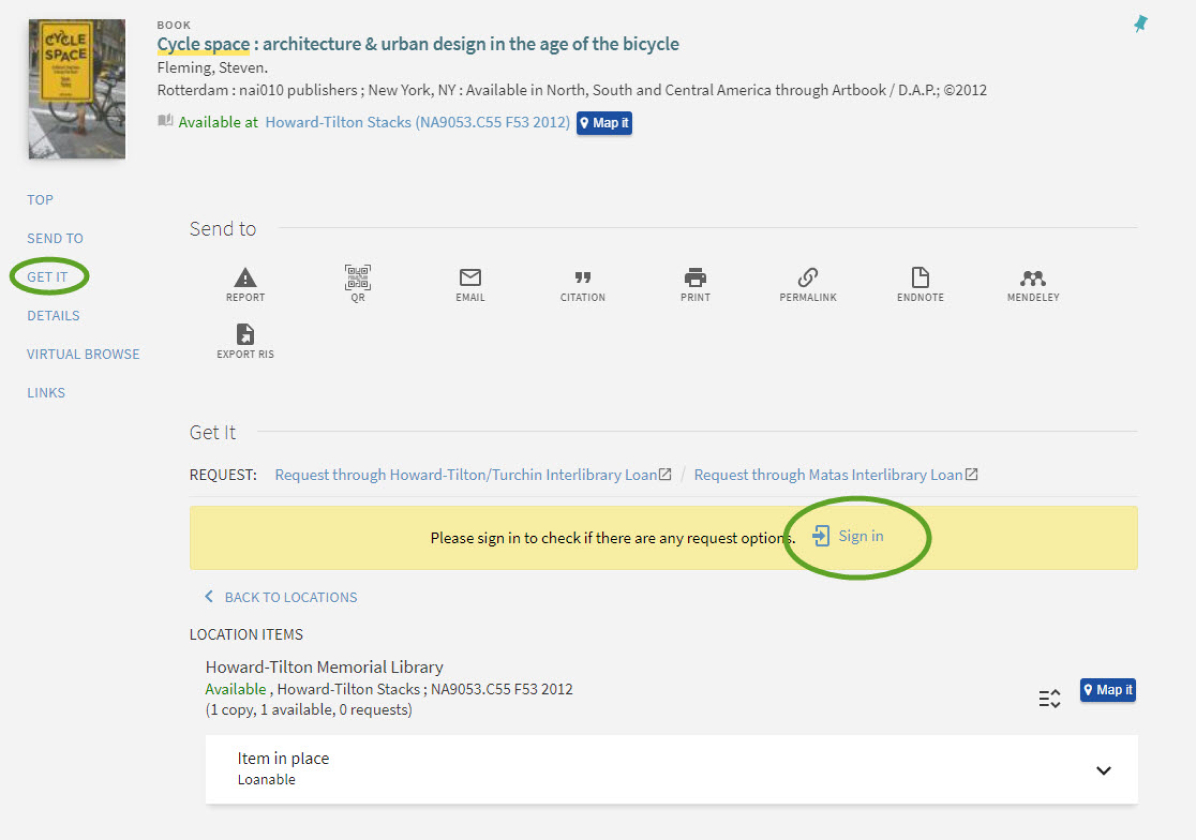
2. Sign in with your Tulane username and password.
3. Click on "Request Delivery." If you do not see the Request Delivery option, you may have a block due to fees or the need to register for classes.
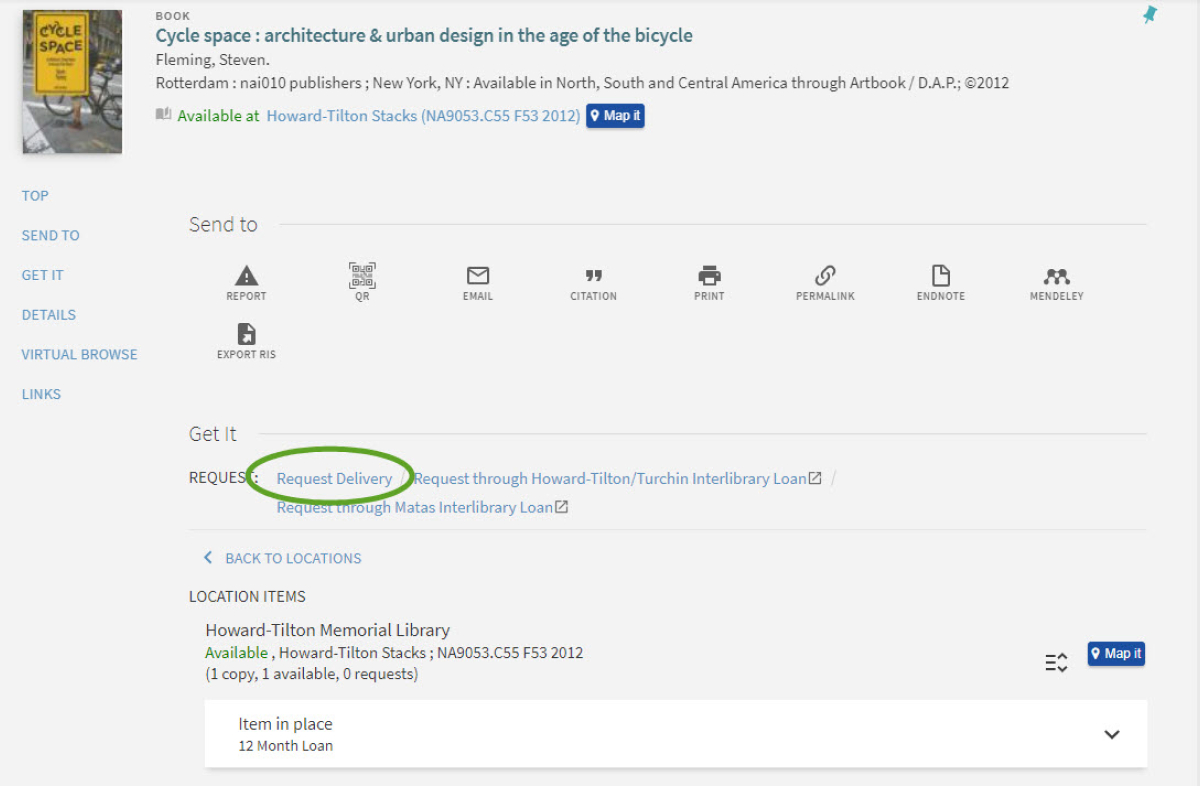
4. If there is more than one copy of the book, choose a copy.
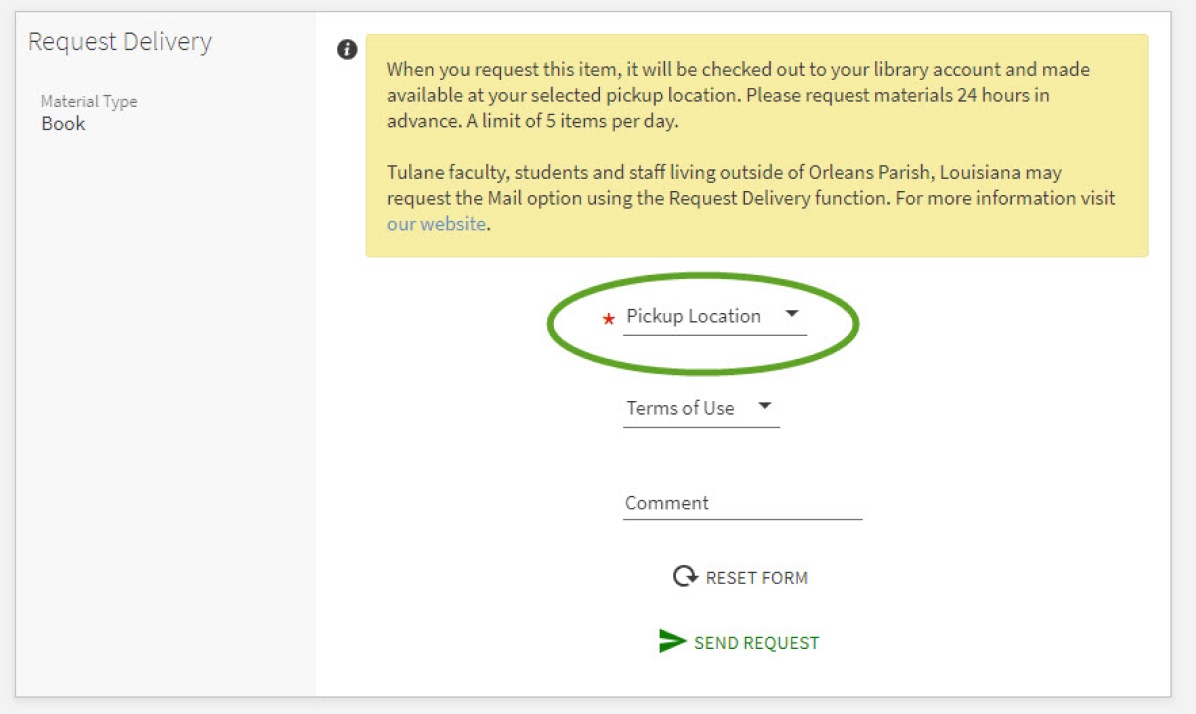
5. Choose a pickup location (Howard-Tilton or Matas). To request an item to be mailed, write a note in the Comment section and provide your mailing address.
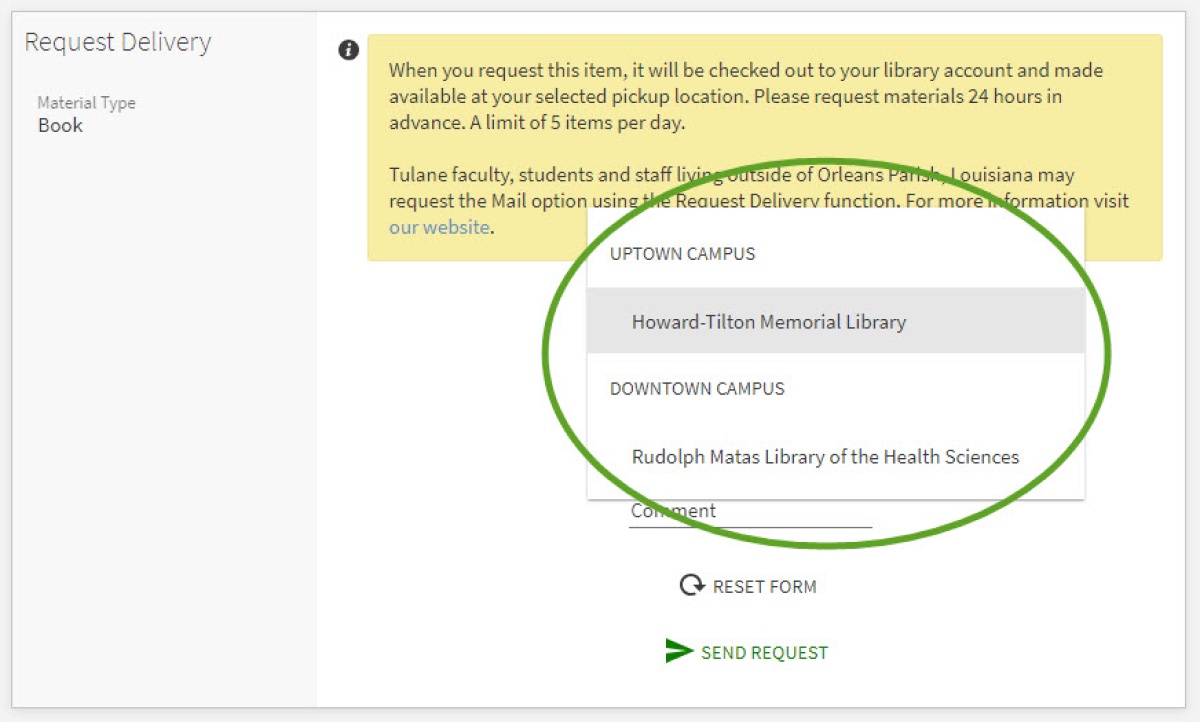
6. Click "Send Request."
7. Users will receive an email when the item is ready for pick up.
8. Retrieve items at the Check-Out desk.
Email circ@tulane.edu or call (504) 865-5689 for assistance.